


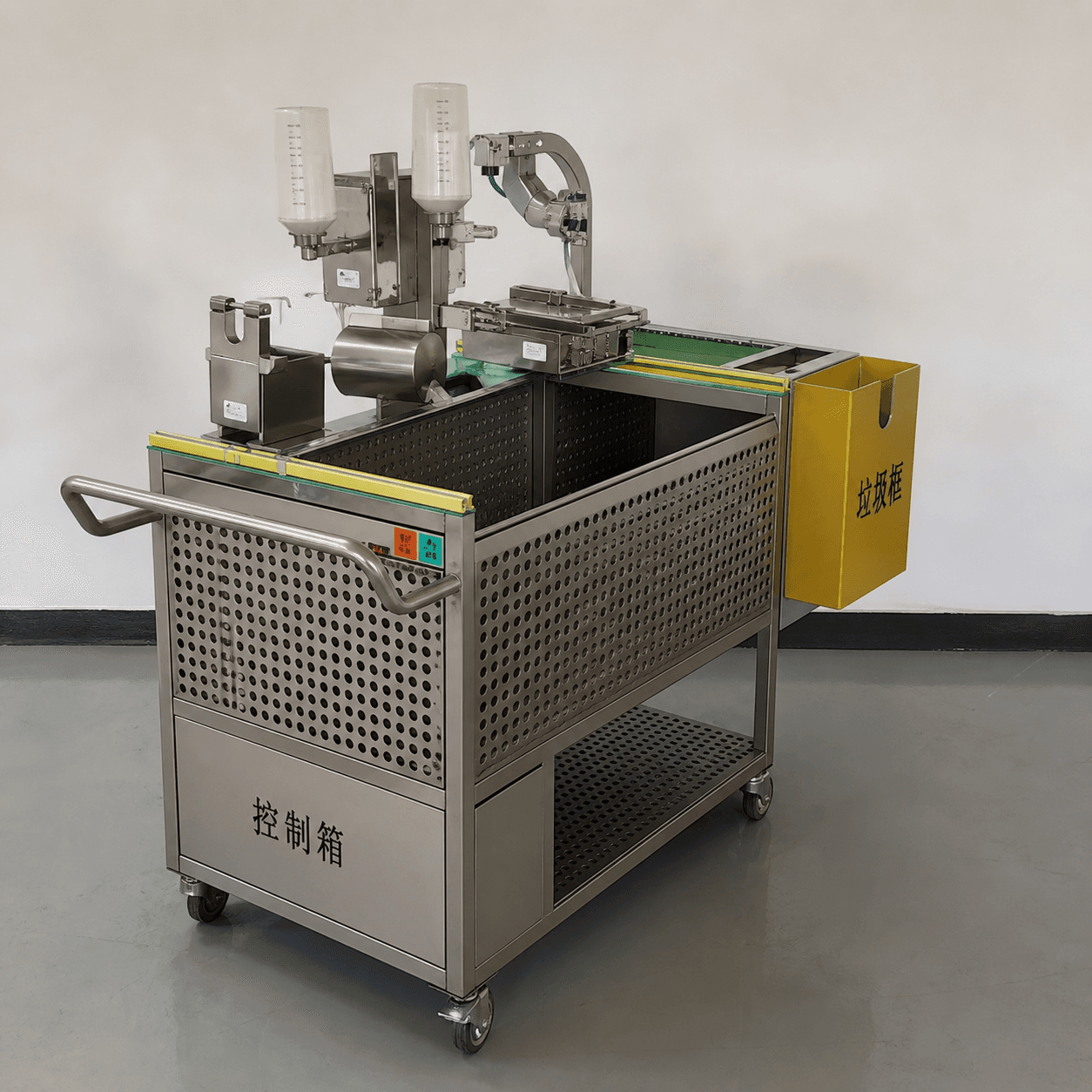
Hatchery automation process mapping is the quickest way to find out whether a proposed machine solves a real production problem or simply adds another box to the room. Start with one representative batch and draw what arrives, who touches it, which station acts, what information moves with it, and where the finished chicks or containers go. Only then decide whether the next investment is a standalone machine, a connected module, or a wider automation route.
This matters because equipment rarely fails in isolation. A chick may wait for a presenter, a crate may arrive in the wrong orientation, a control signal may stop at a line boundary, or a full box may have nowhere to go. JuliSense supplies equipment for chick processing, infrared beak treatment, vaccination-related work, conveying, stacking, and integrated hatchery solutions. The map gives the JuliSense team and the hatchery the same picture of the work before a quotation is shaped.
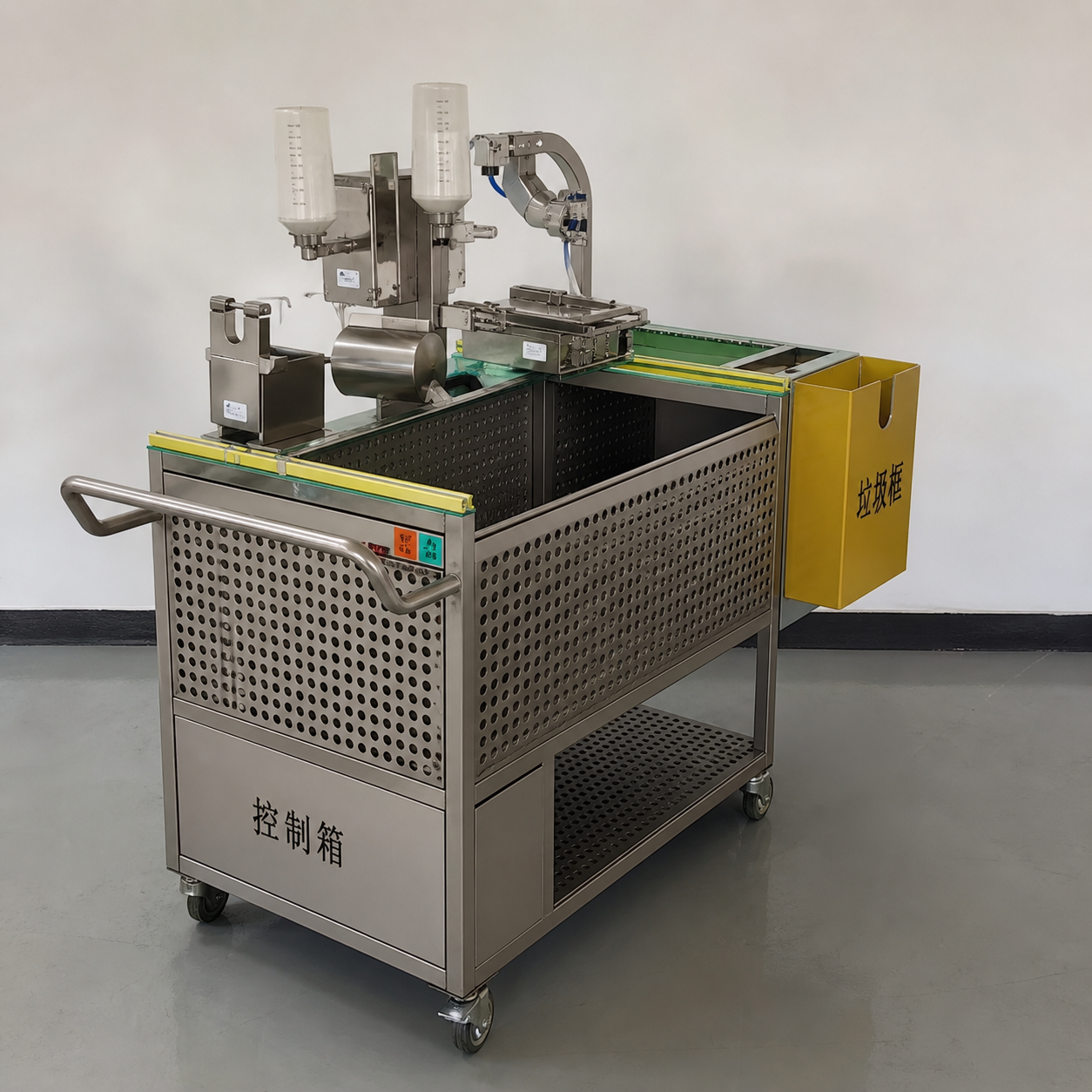
Begin With One Real Batch
Do not start with an equipment catalogue or an ideal hourly average. Choose a normal batch that the shift team recognizes. Record where the chicks arrive, how they are presented, which approved treatment or vaccination steps apply, how boxes or crates move, and when the batch is released to the next process.
Then repeat the exercise with the busiest short interval. A daily total can look comfortable while a concentrated arrival creates a queue in ten minutes. Write down the time of each handoff, the container used, the operator position, and the point at which work is allowed to wait. These observations make hatchery automation process mapping useful for capacity and layout decisions instead of turning it into a decorative flowchart.
Use the language of the shift
Ask an operator to describe the route without using supplier terminology. “The yellow crate waits by the wash door” is more actionable than “infeed buffer.” “The supervisor checks the batch card before release” identifies a control point that a generic process diagram may miss. Keep the first map plain enough that production, maintenance, sanitation, and procurement can all challenge it.
Give Every Handoff an Owner
A handoff occurs whenever the material, responsibility, speed, container, status, or decision changes. Put a small marker on the map for each one. Beside the marker, record who sends, who receives, what “ready” means, and what happens when the receiving side is unavailable.
| Handoff | What to show | Evidence to request |
|---|---|---|
| Arrival to presentation | Container, orientation, queue, and operator reach | Measured container details and a short route video where permitted |
| Presentation to processing | Working height, cycle start, status, and exception action | Station sketch, control states, and representative run notes |
| Processing to transfer | Discharge direction, downstream readiness, and batch identity | Interface drawing and stop/restart description |
| Full crate to dispatch | Staging limit, traffic, labels, and release authority | Dispatch window and container flow plan |
| Production to cleaning | Isolation, removal, access, waste, and release | Approved site procedure and access review |
The owner is not always the person who presses a button. A production supervisor may own the decision to stop, maintenance may own the technical intervention, and a qualified animal-health or quality role may own a process release. Naming those boundaries early prevents the word “automatic” from hiding an important customer decision.
Draw Six Lanes on the Same Sheet
Once the basic route is visible, copy it into six lanes. Each lane answers a different buyer question. The lanes should line up in time so a conflict is easy to see. For example, a full crate may be ready in the product lane while the people lane shows no safe route to move it.
At this point, hatchery automation process mapping becomes a shared review tool rather than an engineering-only document. Production can challenge the timing, maintenance can challenge access, and procurement can see which open question must be answered before comparing quotations.
1. Product and batch lane
Trace chicks, eggs or other approved inputs, batch identity, selected treatment steps, counting, boxing, and final release. Mark where an input can wait and where waiting would create a process or welfare concern. Keep veterinary, welfare, and regulatory criteria with the hatchery's qualified owners; the equipment plan should support those requirements rather than invent them.
2. Container and material lane
Show full and empty crates, trays, vaccine-related supplies where applicable, cleaning tools, waste, and labels. Identify one-way routes and crossings. A machine can have enough nominal capacity and still underperform if containers arrive in waves or if empty crates return through the working position.
3. People and decision lane
Place operator, supervisor, maintenance, sanitation, quality, and technical roles beside the step they own. Add normal reach, visual access, replenishment, break cover, and escalation. This tells a supplier whether a proposed station needs one operator, a shared support role, or a different arrangement in peak periods.
4. Controls and information lane
Record start permission, ready signals, alarms, batch selection, stop conditions, reset authority, and the information that must survive a restart. For every interface, state the sending device, receiving device, expected state, and test owner. If data are retained, identify the system and the person who reviews the record.
5. Hygiene and maintenance lane
Map clean and used material, water or moisture boundaries where relevant, isolation, removable parts, inspection positions, tools, and temporary placement. The route during cleaning is often wider than the route during production. WOAH standards and codes provide useful international context; the hatchery's approved biosecurity and sanitation program controls the actual method and release.
6. Dispatch and support lane
Follow full boxes or crates to their destination, then draw the support path back to the machine. Include staging, vehicle timing, spare parts, manuals, training, remote diagnosis, and the contact route for an abnormal event. A route that ends at the machine is not a complete commercial plan.
Test the Map in Two Different States
A process map should explain both a calm shift and a difficult one. Use the same six lanes, then change the state of the route. This is where hatchery automation process mapping adds value over a standard equipment list.
State A: normal flow
Walk a batch from arrival to dispatch. Check whether each person can reach the work, each container can move without crossing an unsuitable route, and each control state is understandable. Time the short activities that are easy to dismiss: label checks, replenishment, empty-crate return, end-of-batch reconciliation, and the walk to collect help.
State B: one downstream pause
Now mark the next station unavailable for a defined period. Where do already released chicks or full crates go? Which zones stop, which can finish their current work, and who communicates the change? Draw the buffer limit, manual or controlled recovery route, batch-identity check, and restart order.
For machinery risk assessment and risk reduction, ISO 12100 offers a general framework. Apply the relevant requirements to the final installed arrangement, including guards, access, interfaces, and recovery states. The map is not a risk assessment by itself, but it helps the project team identify where the assessment needs to look.
Turn the Map Into a Scope Conversation
When the route is clear, split the proposal into four practical columns: included now, reserved for a later phase, supplied by the customer or local contractor, and still open. This prevents the map from becoming an attractive document that no one uses for procurement.
| Map finding | Possible project response | Question for the quotation |
|---|---|---|
| Presentation creates a repeated wait | Change staging, add controlled infeed, or revise staffing | Which option is included and how is it tested? |
| Downstream space fills first | Adjust conveying, stacking, dispatch, or buffer logic | What is the defined full condition and stop behavior? |
| Cleaning blocks a maintenance route | Reserve access, change orientation, or phase equipment | Which access and removal dimensions are confirmed? |
| Two controls disagree at a boundary | Add an interface definition and joint test | Who owns the signal, test record, and correction? |
| Peak work needs a second role | Plan a shift arrangement or future module | What operating assumption supports the proposed capacity? |
JuliSense can review the equipment boundary against the map. The product portfolio covers individual equipment families, while the complete hatchery automation solutions page is a useful starting point when several functions need to work together. Exact configuration, utilities, site work, testing, and customer responsibilities belong in the project scope.
Why Process Mapping Matters at a Quote Review
During a quote meeting, hatchery automation process mapping keeps the conversation anchored to the work. Instead of asking whether a brochure feature sounds impressive, ask which lane it changes, which handoff it protects, and what evidence will show that the change works under representative conditions.
Prepare a Supplier Brief That Can Be Checked
Send the supplier a concise pack rather than a request for “the best machine.” Include:
- the six-lane process map for a normal and peak batch;
- room dimensions, doors, columns, floor levels, drainage, and available utilities;
- container sizes, arrival pattern, dispatch window, and existing equipment;
- approved process, welfare, sanitation, and quality ownership;
- known stops, manual workarounds, and the desired improvement;
- required factory or site tests, documents, training, spares, and support;
- destination, local installation boundary, language, and target project phase.
Ask for a response that points back to the map: which handoffs are covered, which assumptions remain, and what evidence will prove the proposed route. The JuliSense service page describes the types of design, integration, commissioning, training, and after-sales conversations that may be included according to the agreed scope.
Frequently Asked Questions
Is hatchery automation process mapping only for a new hatchery?
No. It is equally useful for a retrofit or a single-machine purchase. The map shows which existing interfaces must remain, where a shutdown is needed, and whether a small change moves the bottleneck somewhere else.
How much detail should the first map contain?
Start with enough detail to show flow, containers, people, controls, hygiene, dispatch, and exceptions. Add dimensions and technical identifiers as the project moves toward a quotation and test plan. Do not present assumptions as final design.
Can a supplier create the map for us?
A supplier can help structure and challenge it, but the hatchery must provide the real operating pattern, approved procedures, site constraints, and ownership decisions. Good hatchery automation process mapping starts with those local facts; a map built only from a catalogue will miss local work and local limits.
Does a process map replace a layout drawing?
No. The map explains sequence and responsibility; the layout proves space, access, utilities, traffic, and installation route. Use both before freezing the equipment arrangement.
What should I send JuliSense for a first review?
Send the current map, a measured room plan, container information, batch and peak timing, existing equipment, utilities, known interruptions, selected functions, and the result you want to improve. Use the JuliSense contact page to start a project-specific discussion.
Make the Map Earn Its Place
Hatchery automation process mapping earns its place when it changes a decision: a buffer is moved, an interface is tested, a cleaning route is protected, a staffing assumption is made visible, or a future phase is reserved without being purchased too early. JuliSense can use that shared map to discuss equipment and integration around the hatchery's actual working day.
Before approving a machine list, ask one final question: can a new operator, maintenance technician, and project buyer all follow the route and explain what happens when the next station is not ready? If the answer is yes, the map is doing its job. If the answer is no, there is still useful design work to do.